
snibbetracker: Chiptune Creation Made Simple
Overview
snibbetracker is a multimedia application designed for creating chiptune-style music and sound effects. Developed by Harry Lundstrom, it serves as a digital tracker tool tailored for musicians and sound designers interested in retro-inspired audio production. The software is available on iPhone, Mac, and Windows, offering cross-platform access for users who value flexibility in their creative workflow. It is particularly suited for hobbyists, indie game developers, and electronic music producers seeking a compact yet powerful tool for crafting authentic 8-bit and 16-bit audio experiences.
At its core, snibbetracker enables users to compose music using a step sequencer across six mono channels, with support for 16 instruments and 64 patterns. The application delivers audio output at 44.1 kHz and 16-bit stereo quality, ensuring clear and professional-grade sound. Its feature set includes a wavetable editor, instrument editor, and a comprehensive suite of effects such as vibrato, pitch bend, arpeggio, and bitcrush. These tools empower users to shape unique sonic textures, ideal for game soundtracks, experimental music, or multimedia projects.
Users can import and export songs via email, facilitating collaboration and sharing across devices. While the base version is free, premium features are available through in-app purchases. The application supports custom waveform creation, allowing advanced users to design unique audio shapes beyond standard sine, square, sawtooth, and triangle waves. This level of customization enhances creative freedom, making snibbetracker a versatile choice for both beginners and experienced creators in the chiptune community.
Key Features & Capabilities
- 6 Mono Channels: Enables layered compositions with independent control over each channel, ideal for creating complex chiptune arrangements.
- 16 Instruments: Supports a dedicated library of instrument presets, with options for customization via the instrument editor.
- 64 Patterns: Offers ample space for arranging musical sequences, allowing for detailed and dynamic song structures.
- Step Sequencer: Provides precise control over note timing and placement, essential for crafting rhythmic and melodic patterns.
- Tempo Sequencer: Allows dynamic tempo changes throughout a composition, adding expressive variation to tracks.
- Wavetable Editor: Enables users to design and manipulate waveforms, supporting both standard and custom shapes for unique sound design.
- Instrument Editor: Gives detailed control over instrument parameters, including envelope settings and playback behavior.
- Comprehensive Effects Suite: Includes vibrato, pitch bend, arpeggio, portamento, amplitude modulation, PWM, delay, downsample, distortion, FM, bitcrush, and more.
- Custom Waveform Support: Users can generate and use non-standard waveforms, expanding creative possibilities beyond traditional synth shapes.
- Email Sharing: Facilitates easy import and export of songs, supporting collaboration and content distribution.
These features collectively support a workflow that balances accessibility with depth. For example, a game developer might use the step sequencer and 64 patterns to build a looping soundtrack, while a musician could leverage the wavetable editor and bitcrush effect to create gritty, nostalgic textures. The inclusion of 44.1 kHz 16-bit stereo output ensures that final compositions maintain high audio fidelity, even when exported for use in larger projects.
User Interface, Workflow & Performance
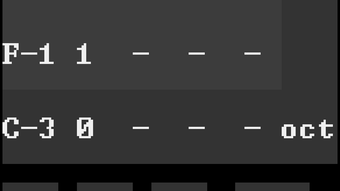
The user interface of snibbetracker is designed with a focus on clarity and efficiency, aligning with the conventions of tracker software. Navigation is structured around a grid-based pattern editor, where users input notes and effects in a step-by-step manner. The layout is optimized for both touch and mouse input, making it usable across iPhone, Mac, and Windows platforms. While specific UI details were not provided, the application’s design appears to prioritize functionality over visual flair, which is consistent with tracker-style tools.
Workflow efficiency is enhanced by the integration of key features such as the instrument editor and wavetable editor, which are accessible within the main interface. This reduces context switching and allows users to modify sounds in real time. The step sequencer supports quick pattern creation and editing, enabling rapid prototyping of musical ideas. However, the developer did not specify resource usage details, so performance behavior under load remains unclear.
Stability and responsiveness are expected to be consistent with standard desktop and mobile applications of this type. General performance observations are based on typical tracker software behavior, including smooth playback and minimal lag during composition. The application’s size of 45.7 MB suggests a lightweight footprint, which may contribute to efficient loading and operation across devices.
Compatibility & System Requirements
snibbetracker is available on iPhone, Mac, and Windows, offering cross-platform compatibility for users who work across multiple devices. The software version is 1.0.2, with a file size of 45.7 MB. This indicates a compact installation footprint, suitable for systems with limited storage.
Platform-specific system requirements were not provided. The developer did not specify minimum hardware requirements, CPU usage, or RAM demands. Compatibility information is limited to the operating systems listed. Users are advised to ensure their devices meet the baseline standards for running modern applications on iPhone, macOS, and Windows. Exact performance details were not specified.
Pros and Cons
Pros
- Free to download and use with core features included
- Supports cross-platform use across iPhone, Mac, and Windows
- Offers a comprehensive set of chiptune-specific tools and effects
- Includes a wavetable editor and custom waveform creation
- 64 patterns and 6 mono channels enable detailed compositions
- Email-based import/export simplifies sharing and collaboration
- Lightweight installation at 45.7 MB
- High-quality 44.1 kHz 16-bit stereo output
Cons
- Advanced features require in-app purchases
- Exact system requirements were not listed
- Performance under heavy use was not documented
- Platform-specific compatibility details are limited
- No mention of cloud sync or project backup
- Interface may have a learning curve for new users
FAQ Section
Is snibbetracker available for Windows and Mac?
Yes, snibbetracker is available for both Windows and Mac, in addition to iPhone, providing cross-platform access.
Can I use snibbetracker offline?
Yes, the application functions without an internet connection, allowing full music creation and editing offline.
Are there any in-app purchases?
Yes, while the base version is free, premium features are available for purchase within the app.
How do I share my songs with others?
Songs can be imported and exported via email, enabling easy sharing and collaboration.
What audio quality does snibbetracker support?
snibbetracker delivers audio output at 44.1 kHz and 16-bit stereo, ensuring high-fidelity sound.
Final Thoughts
snibbetracker stands out as a capable and accessible tool for creating chiptune music and sound effects. Its combination of a robust feature set, cross-platform availability, and a free base version makes it an attractive option for creators across different experience levels. The inclusion of a wavetable editor, custom waveform support, and a wide range of effects adds significant depth to the sound design process. While advanced functionality is locked behind in-app purchases, the core tools are sufficient for most chiptune projects.
For indie developers, musicians, and audio enthusiasts who value retro aesthetics and hands-on control, snibbetracker offers a compelling solution. Its lightweight design and efficient workflow enhance usability across devices. With no reported performance issues and a clean interface, it delivers a focused experience ideal for rapid composition and experimentation.
Download snibbetracker now and begin crafting authentic chiptune tracks with professional-grade tools.







